

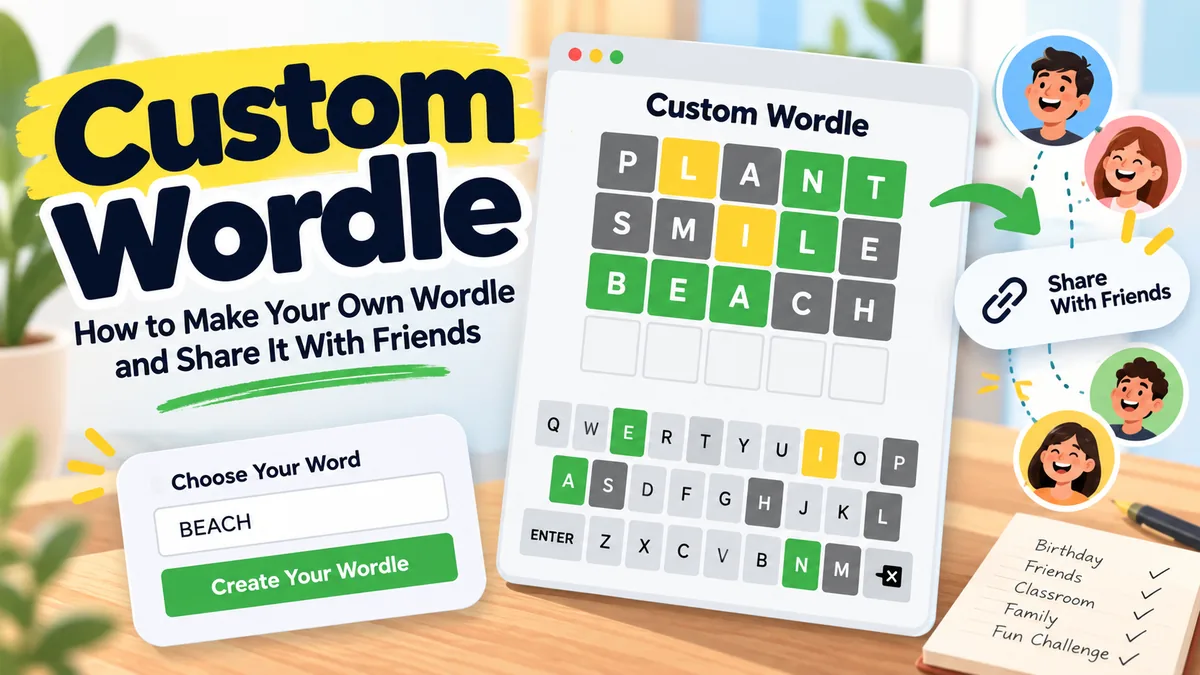
Want to make your own Custom Wordle? You can choose a secret word, turn it into a puzzle, and challenge your friends or family to solve it. It’s a fun way to share an inside joke, celebrate a birthday, or create a friendly word challenge.
You don’t need coding skills to get started. A Wordle maker does the work for you. Just choose your word, adjust the available settings, and share your puzzle.
Here’s how to create a custom Wordle, pick a good word, and make the challenge enjoyable without giving away the answer.
How to Make Your Own Custom Wordle
Creating a personalized Wordle is simple. Most online generators follow a similar process, although their features may differ.
- Choose a Wordle maker. Find a generator that supports custom words and shareable puzzles.
- Enter your secret word. Pick a word your friends, family, or classmates can reasonably guess.
- Adjust the settings. Some tools let you change the word length, number of attempts, or difficulty.
- Add a hint. If the generator supports clues, write something helpful without revealing the answer.
- Create your puzzle. Generate the game and get a shareable link.
- Send the challenge. Share the link through text, email, or a group chat.
You can also try the official New York Times custom Wordle creator. Eligible Games and All Access subscribers can make personalized puzzles with four- to seven-letter answers and optional clues. People who receive the shared puzzle can play without subscribing.
If you prefer a free custom Wordle maker, several independent websites offer similar basic features. Check the available options before choosing one, especially if you want longer words or special settings.
Quick tip: Before sending your puzzle, open the link in a private browser window. Make sure the game loads correctly and doesn’t reveal the secret word.
What Is Custom Wordle?
Custom Wordle is a version of the popular word-guessing game where you choose the answer yourself.
The regular New York Times Wordle gives players six attempts to identify a five-letter word. Everyone receives the same daily puzzle, and colored tiles provide feedback after each guess.
A custom puzzle uses the same basic idea but lets the creator select the answer. Depending on the generator, you may also be able to change the word length, allow more guesses, or include a personal clue.
The familiar color rules usually remain the same:
- Green: The letter is correct and in the right position.
- Yellow: The letter is in the answer but belongs somewhere else.
- Gray: The letter doesn’t match an unused position in the answer.
That last rule matters when letters repeat.
For example, if the answer contains one E but your guess contains two, one E might receive a colored tile while the other appears gray.
Knowing how repeated letters work helps you create fair puzzles and understand tricky guesses. The New York Times explanation of Wordle’s color rules also describes the familiar green, yellow, and gray feedback.
How to Choose the Best Word for Your Puzzle
A good custom Wordle should make someone think, not leave them guessing at random.
The secret word matters more than fancy settings. A familiar word with an interesting letter pattern often creates a better challenge than an obscure word nobody recognizes.
Start With a Word People Know
If you’re creating a regular puzzle, choose something familiar.
Words such as BEACH, TRAIN, SMILE, and PLANT are good starting points. They’re easy to understand and contain common English letters.
You can make the puzzle harder by choosing words with repeated letters or unusual combinations.
For example:
- CRANE: Five different letters and common letter patterns.
- LEVEL: Repeated E and L.
- SHEEP: Two E’s together.
- JAZZY: Less common letters and a repeated Z.
A difficult word isn’t automatically a better word. Think about who’s playing before deciding.
Can You Use Names or Personal Words?
Yes, some Wordle generators let you use names, nicknames, and unusual words.
This is one of the most enjoyable parts of making a personalized Wordle. A friend’s nickname or a word linked to a shared memory can make the challenge feel special.
However, not every generator accepts these answers. Some require words from a built-in dictionary.
There’s another catch: a tool might accept your secret word but reject it when someone tries to guess it.
Before sharing a puzzle built around a name or unusual term, check how the generator handles custom words and valid guesses.
Match the Difficulty to Your Players
A puzzle for young students should feel different from a challenge for experienced Wordle players.
For beginners, use familiar words with common letters. For stronger players, try repeated letters or less obvious spelling patterns.
Avoid choosing a strange word simply to make everyone lose.
If you’re unsure whether a word is familiar enough, check its meaning in the Cambridge English Dictionary or another reliable dictionary.
Remember that a longer word isn’t always harder. Letter combinations and the number of possible answers often matter more than length alone.
How to Share a Custom Wordle With Friends
Once you’ve created your puzzle, look for a Share or Copy Link button.
Most shareable Wordle makers generate a unique URL that others can open in their browsers.
You can send the challenge through:
- WhatsApp or text messages
- Messenger or group chats
- Social media
- Classroom platforms
A short message can make your challenge more interesting.
For example:
“I made a Wordle just for you. Six guesses, one secret word. Think you can solve it?”
Avoid including the answer in your message or sending a screenshot that shows the completed puzzle.
If several friends are playing, ask everyone to finish before discussing their guesses. That keeps the challenge fair and avoids unwanted spoilers.
Can Friends Play the Same Custom Wordle?
Yes. Shareable custom puzzles generally allow several people to attempt the same answer using the same link.
However, the available competition features depend on the website.
Some creators offer only individual gameplay. Others provide timers, score tracking, or leaderboards.
For a simple competition, everyone can report how many attempts they needed. If you’re planning a tournament, choose a generator with suitable group features.
Fun Custom Wordle Ideas Worth Trying
A personalized Wordle doesn’t need to be complicated. Sometimes a single meaningful word is enough to make someone smile.
Birthday Wordle
Choose a word related to the person celebrating their birthday.
It could be a favorite hobby, vacation destination, food, or shared memory.
For someone who loves the ocean, BEACH might make a good answer.
You could add the hint:
“Your favorite place to spend a summer afternoon.”
Keep the clue personal but not too obvious.
Romantic Wordle for Your Partner
A custom Wordle can be a small surprise for your boyfriend, girlfriend, husband, or wife.
Choose something meaningful, such as HEART, SMILE, or a word connected to a special memory.
You might send the puzzle before a date or anniversary celebration.
If you’d like to reveal a longer romantic message, look for a generator that supports multiple rounds or a message after solving.
Custom Wordle for Students and Teachers
Wordle-style puzzles can make spelling and vocabulary lessons more engaging.
Teachers can select words connected to a lesson and ask students to explain what each colored tile means.
For a science activity, possible answers include PLANT, WATER, LIGHT, EARTH, and OCEAN.
Students can work individually or in small groups. Instead of simply guessing, encourage them to explain why a letter belongs in a particular position.
For more classroom ideas, Cambridge English vocabulary games and activities offer useful examples of word-based learning exercises.
A printable Wordle template can also help when students don’t have access to individual devices.
Wordle Challenges for Parties and Groups
Custom puzzles can turn a family gathering or office activity into a friendly competition.
Choose a theme, create several puzzles, and let everyone try to solve them.
Possible themes include movies, food, travel, and everyday objects.
For a fair challenge, give everyone the same words and number of attempts.
You can keep score on paper or use a tool with a leaderboard if one is available.
How to Write Helpful Custom Wordle Hints
A good hint helps someone make progress without solving the puzzle for them.
The best approach is to start broad and become more specific only when needed.
Let’s use BEACH as an example.
Hint 1: Start With a General Clue
“Think of somewhere people like to visit in summer.”
This gives the player a category without revealing letters.
Hint 2: Narrow It Down
“You might find sand and waves there.”
Now the clue is more useful, especially if the player has already made several guesses.
Hint 3: Reveal a Letter
“The word starts with B.”
This is a stronger hint, so save it for someone who’s genuinely stuck.
Spoiler warning: Don’t reveal the full answer unless the player asks for it or gives up.
A useful clue should reward thinking, not remove the fun of discovering the word.
Common Mistakes to Avoid When Making a Custom Wordle
Even a simple puzzle can become frustrating if a few details are overlooked.
Choosing an impossible word: Avoid answers that players have little chance of recognizing.
Ignoring dictionary restrictions: Check whether the generator accepts names, unusual words, and nonstandard spelling.
Making clues too obvious: A hint should guide the player rather than hand over the answer.
Forgetting repeated letters: Words such as LEVEL and SHEEP can be tricky because a single guess may contain more copies of a letter than the answer.
Sharing spoilers: Never put the secret word in your invitation, screenshot, or visible clue.
Skipping a link check: Make sure your shared link opens the intended puzzle before sending it to others.
Custom Wordle vs. Regular Wordle
Both games revolve around guessing a hidden word, but they offer different experiences.
| Feature | Regular Wordle | Custom Wordle |
|---|---|---|
| Secret word | Daily preset answer | Chosen by the creator |
| Word length | Five letters | Depends on the generator |
| Number of guesses | Six | Often adjustable |
| Personal hints | Not part of the standard game | Available on some tools |
| Sharing | Share results | Share a playable puzzle |
| Best for | Daily word challenges | Personalized games and group activities |
Regular Wordle is ideal when you want to solve the same daily puzzle as other players.
Custom Wordle gives you more freedom to create something personal.
Frequently Asked Questions About Custom Wordle
Is Custom Wordle Free?
Some independent custom Wordle generators are free to use. Others may include paid features. The official New York Times creator requires an eligible subscription to create puzzles, although recipients can play shared puzzles without subscribing.
Can I Make a Wordle With Any Word?
Not always. Some generators support only dictionary-approved answers, while others allow names and custom terms. Check the word restrictions before creating your game.
Can I Make a Wordle Longer Than Five Letters?
Yes. Many custom Wordle makers support different word lengths. The official New York Times creator allows four- to seven-letter answers, while some independent tools offer longer puzzles.
Can I Create Multiple Custom Wordles?
Yes, although the method varies. Some websites allow multiple words in one challenge. Others require a separate puzzle and link for each answer.
Can I Create a Private Wordle?
You can share a puzzle link directly with selected people, but an unlisted link isn’t necessarily private. Anyone who receives a forwarded link may be able to play. Look for password protection or invitation controls if privacy matters.
Can I Print My Own Wordle Puzzle?
Yes. Create a paper puzzle using blank letter grids and enough rows for the allowed guesses. Keep a separate answer key, and use colored pencils or markers to provide feedback after each guess.
Ready to Make Your Own Wordle?
Creating a custom Wordle is about giving someone a puzzle worth solving.
Choose a word they’ll recognize, make the challenge fair, and add a hint only when it helps. Then share the link and see how many guesses they need.
The best puzzles aren’t always the hardest. They’re the ones that make people think, smile, and ask for another round.
